Code review has always been one of those things I care a lot about, and at the same time one of the things I’ve spent the most time fighting the tools on. Clicking through a pull request file by file in a browser tab, losing track of what I’ve already looked at, and hoping nothing slipped past; it works, but it has never felt like the tool was actually on my side.
So I decided to do something about it.
Second Shift Software
A few weeks ago I founded my own company, Second Shift Software. To be clear: I’m still very much at Secomea and enjoying it. Second Shift is exactly what the name says; the work that happens after the first shift ends.
Its first product is Diftra, and the beta is just around the corner.
So what is Diftra?
Diftra is a desktop app for reviewing code, running on Windows, macOS and Linux. The short version: everything you need to get through a pull request, in one place, built to be fast and keyboard-driven.
Bring your own AI
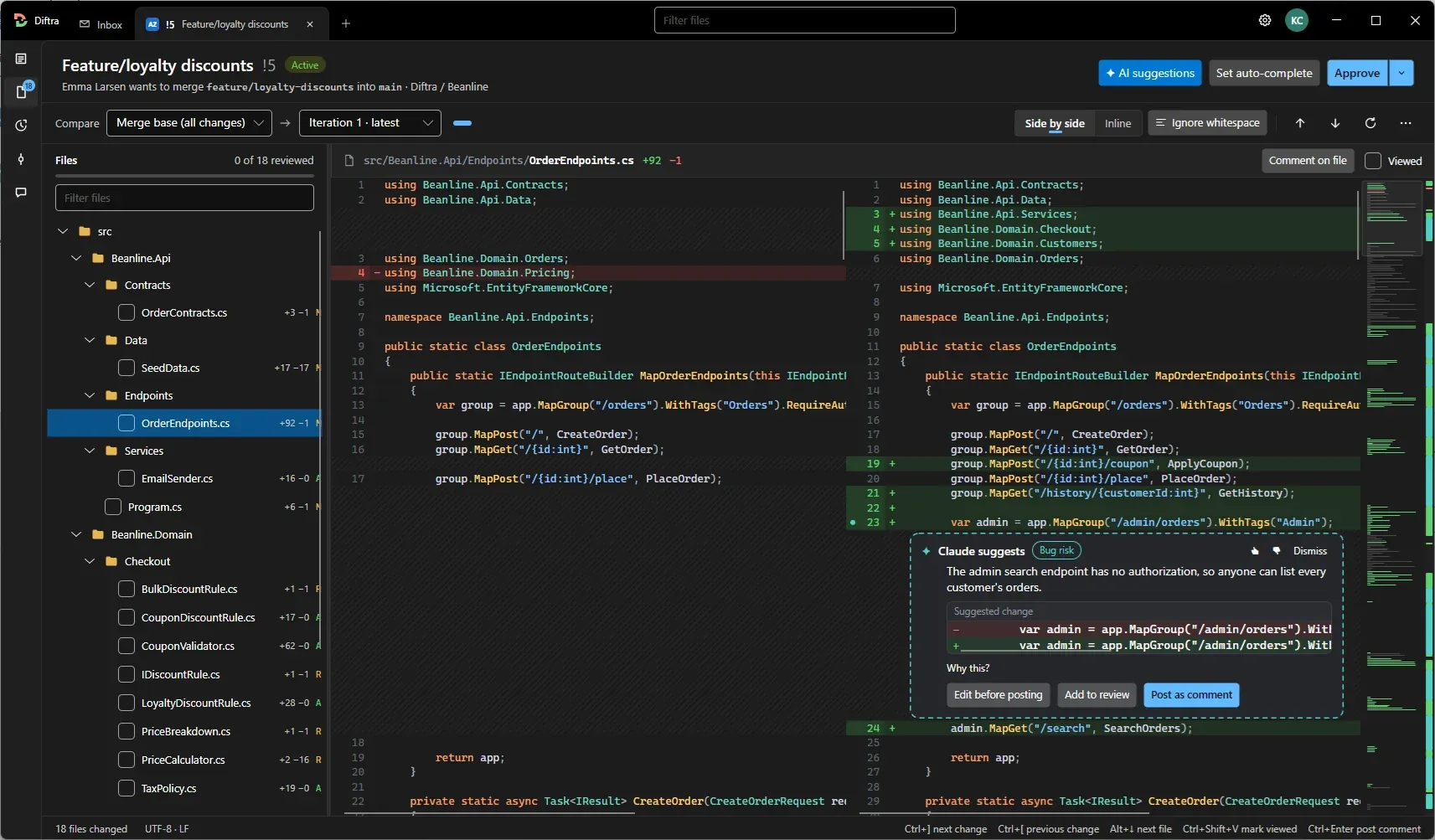
This is the part I’m most excited about. Instead of locking you into yet another AI service, Diftra uses the AI you already trust. It ships with skills for the most widely used AI agents, and your team can run its own review skillsets with its own rules and standards.
The findings land right in the diff as inline suggestions, which you can edit, add to your review or post as a comment. And you can run the same review on your own changes before you even open the PR; a great way to avoid the embarrassing “fixed typo” follow-up commits.
Your AI, your rules, all in one review.
Everything else a review needs
Around the AI part, Diftra has the rest of the review workflow covered:
- PR inbox: see which pull requests are waiting for you and keep track of your own.
- PR review overview: every changed file in one tree, with review progress.
- Iteration compare: compare against the merge base or any iteration, side by side or inline.
- The full workflow: comment, approve and set auto-complete, with keyboard shortcuts throughout.
- Git difftool and mergetool: the same view for local changes and merge conflicts.
Join the beta
The beta is about to launch, and anyone can join. Sign up on the waitlist at diftra.app and you’ll be among the first to try it.
I’d love to hear what you think; what works, what doesn’t and what’s missing. This is only the beginning, and I’ll be writing more about building Diftra here as it moves along.
Cheers!
Comments
Leave a comment